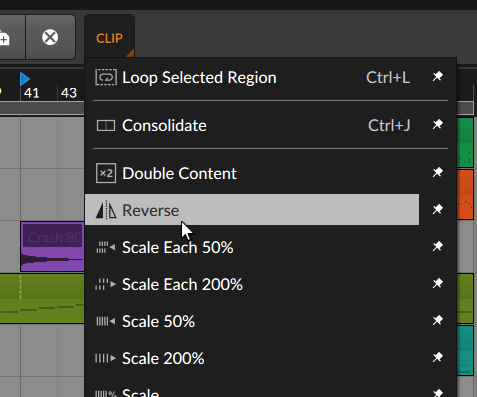
How to Reverse Audio in Bitwig 4 1 Reply Here’s how to reverse audio in Bitwig: Select the audio clipGo to the top toolbar and click “Clip”Select “Reverse” After selecting the audio clip that you want to reverse, select “Reverse” in the “clip” menu. Not everything needs to be a five minute YouTube video. Share this:Share Click to email a link to a friend (Opens in new window) Email Click to share on Facebook (Opens in new window) Facebook Click to share on X (Opens in new window) X Click to share on Reddit (Opens in new window) Reddit Click to share on LinkedIn (Opens in new window) LinkedIn Like Loading...